
⚙Mosconi Gladen DSP software
Get the right software for your Mosconi DSP
Mosconi has two PC programs, and each DSP works with only one of them. Pick your model below and we will tell you exactly what to download and which USB driver you need.
1Find your model
2Download
The two Mosconi programs
Windows only. Install the one that matches your DSP. They can both live on the same PC if you work on more than one generation of product.
MOSCONI GLADEN GUI V3.55
64-bit installer · Windows 7 / 8 / 10 / 11
Use with:
MOSCONI GLADEN GUI V1
MosconiDSPv1setup · Windows 7 / 8 / 10
Use with:
3USB driver
Your PC also needs the right USB driver
If the software opens but will not connect to the DSP, this is almost always the reason. There are two drivers; which one depends on the DSP, not the software.
FTDI driver (CDM21228)
For: PRO 8|30, PICO series, Atomo series, ONE 4|8, ONE 6|10, ONE 8|10.
Prolific driver (PL2303)
For: 6to8 Pro, 6to8 Aerospace, 8to12 Pro, 8to12 Aerospace, D2 DSP amps, ONE 60.8 / 90.8 / 130.4 DSP.
4Connect and tune
What you will see once you are connected
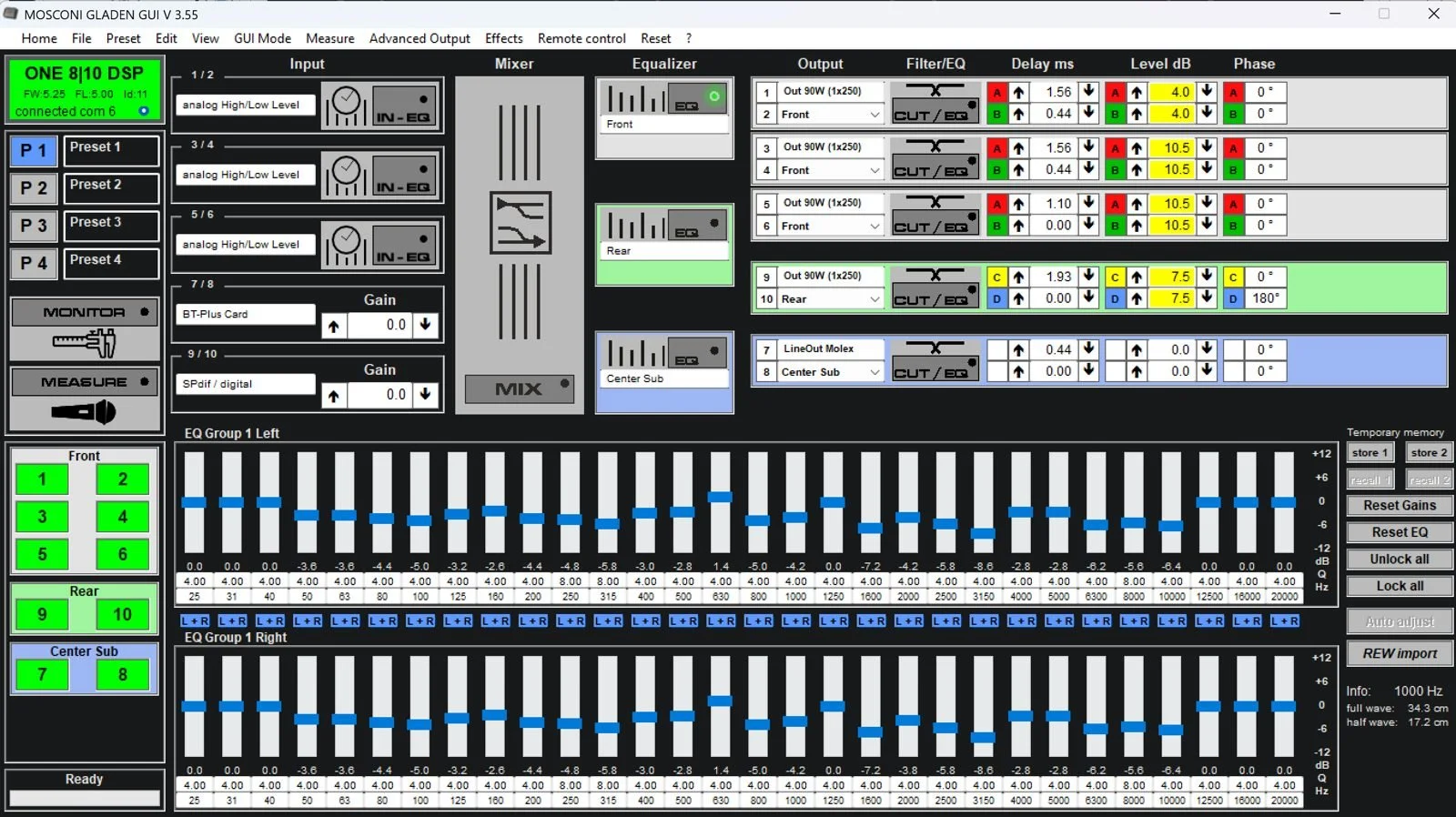
GUI V3.55 shows the whole signal path on one screen: inputs, mixer, per-channel crossovers, delay, level and phase, plus a 30-band EQ per channel.
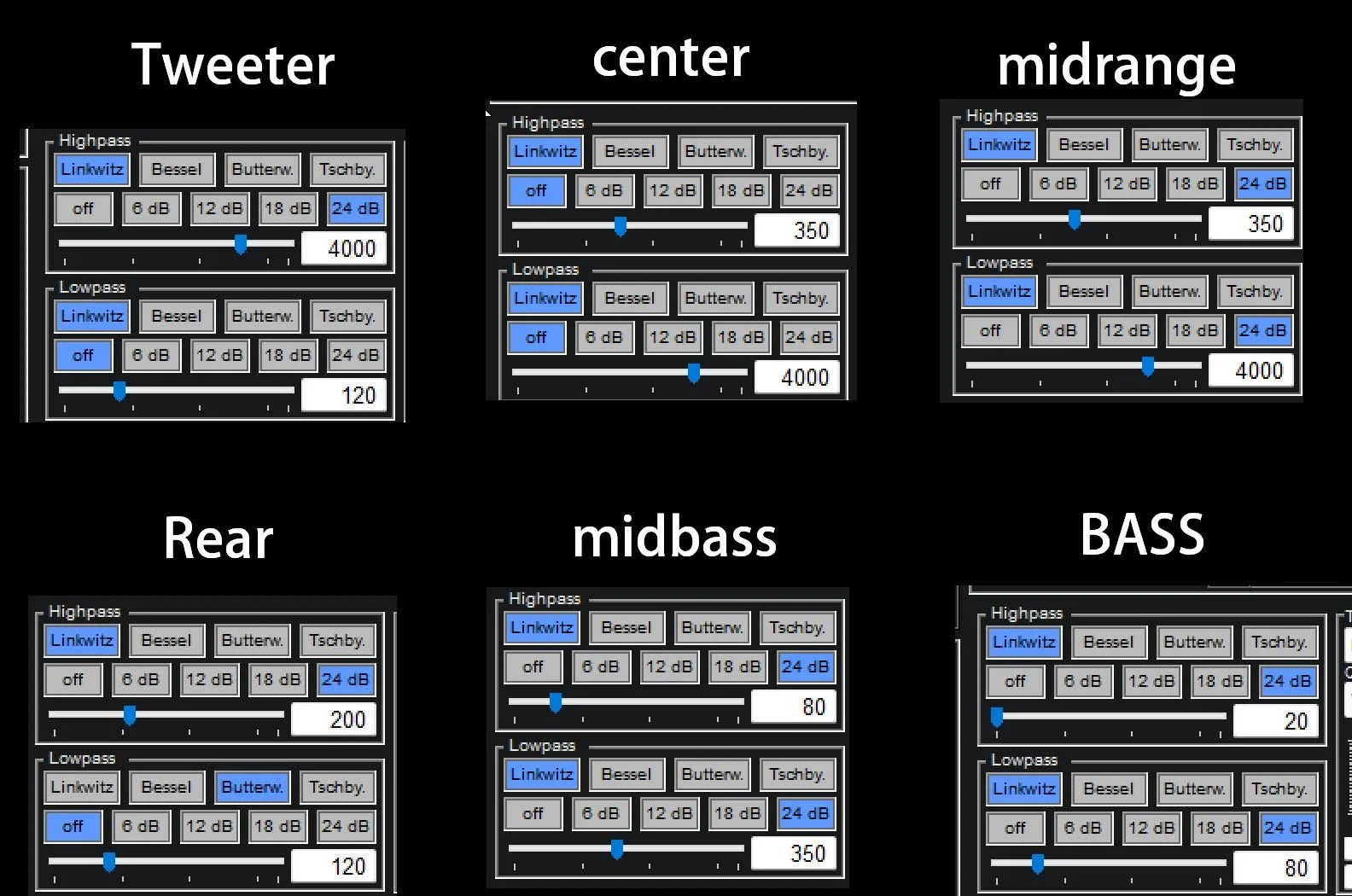
LR 24 dB
LR 24 dB
LR 24 dB
LR 24 dB
LR 24 dB
Add a highpass for a small speaker
+Accessories
Which controllers and Bluetooth modules fit your DSP
Remotes, preset switches and AMAS high-res Bluetooth streamers are not universal. Check your row before you order.
| DSP model | RCD DisplayRemote | RC MINIRemote | GladiatorRemote | RTC-HUB (IR)Remote interface | RTC / RTC.2Analog knob | MOS-SwitchPreset changer | MOS-BTMBluetooth control (PC) | AMAS LD4CStreaming 96k/24-bit | BTS LD4CStreaming 96k/24-bit | MOS-BTSStreaming (disc.) | AMAS IIStreaming (disc.) | AMAS 96kStreaming (disc.) |
|---|---|---|---|---|---|---|---|---|---|---|---|---|
| MOS AERO 8|12 | ✓ | ✓ | ✓ | ✓ | With RTC-HUB | With RTC-HUB | ✓ | ✓ | ✓ | ✓ | ✓ | ✓ |
| 8to12 Aero | ✓ | ✓ | ✕ | ✓ | With RTC-HUB | With RTC-HUB | ✓ | ✓ | ✕ | ✓ | ✓ | ✓ |
| 8to12 Pro | ✓ | ✓ | ✕ | ✓ | With RTC-HUB | With RTC-HUB | ✓ | RCA analog only | ✕ | ✓ | ✕ | RCA analog only |
| 6to8 Aero | ✓ | ✓ | ✕ | ✓ | With RTC-HUB | With RTC-HUB | ✓ | ✓ | ✕ | ✓ | ✓ | ✓ |
| 6to8 Pro | ✓ | ✓ | ✕ | ✓ | With RTC-HUB | With RTC-HUB | ✓ | RCA analog only | ✕ | ✕ | ✕ | RCA analog only |
| PRO 8|30 DSP | ✓ | ✓ | ✓ | ✓ | With RTC-HUB | With RTC-HUB | ✓ | ✓ | ✓ | ✓ | ✓ | ✓ |
| ONE 4|8 DSP | ✕ | ✕ | ✓ | ✕ | ✓ | ✕ | ✓ | ✓ | ✓ | ✓ | ✓ | ✓ |
| ONE 6|10 DSP | ✕ | ✕ | ✓ | ✕ | ✓ | ✕ | ✓ | ✓ | ✓ | ✓ | ✓ | ✓ |
| ONE 8|10 DSP | ✕ | ✕ | ✓ | ✕ | ✓ | ✕ | ✓ | ✓ | ✓ | ✓ | ✓ | ✓ |
| PICO 8|10 DSP (V1, V2) | ✕ | ✕ | ✓ | ✕ | ✓ | ✕ | ✓ | ✓ | ✓ | ✓ | ✓ | ✓ |
| PICO 6|8 DSP (V1, V2) | ✕ | ✕ | ✓ | ✕ | ✓ | ✕ | ✓ | ✓ | ✓ | ✓ | ✓ | ✓ |
| PICO 4|8 DSP | ✕ | ✕ | ✓ | ✕ | ✓ | ✕ | ✓ | ✓ | ✓ | ✓ | ✓ | ✓ |
| Atomo 4|6 | ✕ | ✕ | ✓ | ✕ | ✓ | ✕ | ✓ | ✓ | ✓ | ✓ | ✓ | ✓ |
Source: Gladen Mosconi DSP Products / Accessories Compatibility chart (ORCA Design & Manufacturing, rev. E07092024). "Disc." = discontinued accessory.
Still not sure?
Send us your model number and firmware version and we will tell you exactly what to install.